Mockoon is a free, open-source tool that allows you to create and run mock REST APIs locally in seconds. With it, you can:
- Create unlimited mock REST APIs locally with no account required.
- Simulate errors, latency, and complex API behaviors.
- Speed up both frontend and backend development by removing dependencies.
- Share your mock environments with your team (via JSON files or the optional Mockoon Cloud).
It’s available as a cross-platform desktop app, a CLI tool, and a Docker image.
Installation
Mockoon is available for macOS, Windows, and Linux. You can download the application directly from the official website.
macOS (via Homebrew)
If you’re on a Mac, the fastest way to install the desktop app is with Homebrew:
brew install --cask mockoon
CLI (Optional)
For automation, scripting, or use in CI/CD pipelines, you can install the CLI tool globally via npm:
npm install -g @mockoon/cli
Adding a Mock API
Open the Mockoon app and click “New local environment”.
Select a local folder to save the environment json file.
Add a new route by clicking the
+icon. Set the path (e.g.,/users).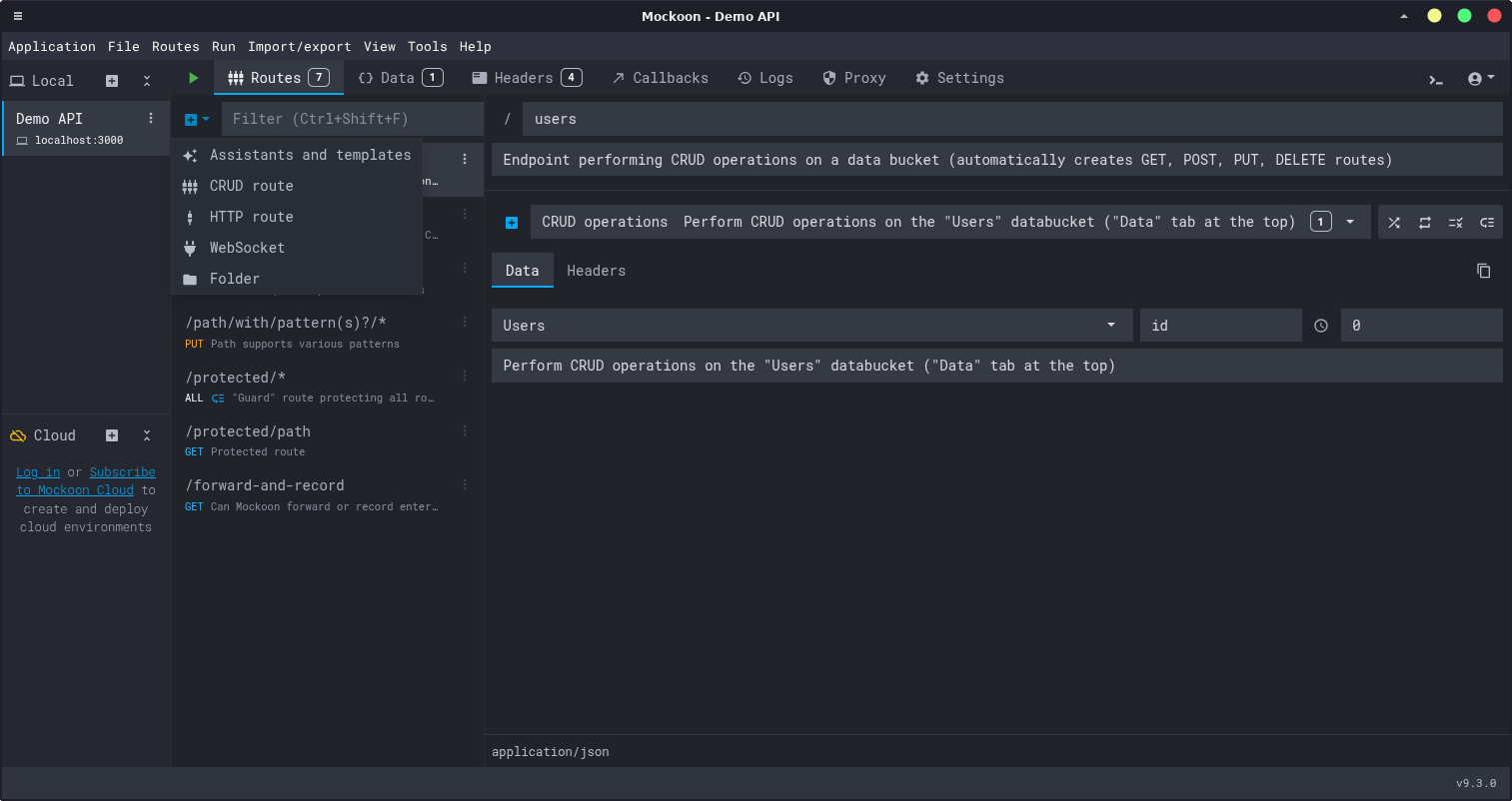
Configure the response in the right-hand panel:
- Set the HTTP status code (e.g.,
200 OK). - Switch to the “Body” tab and paste your JSON response.
- Optionally, add headers in the “Headers” tab.
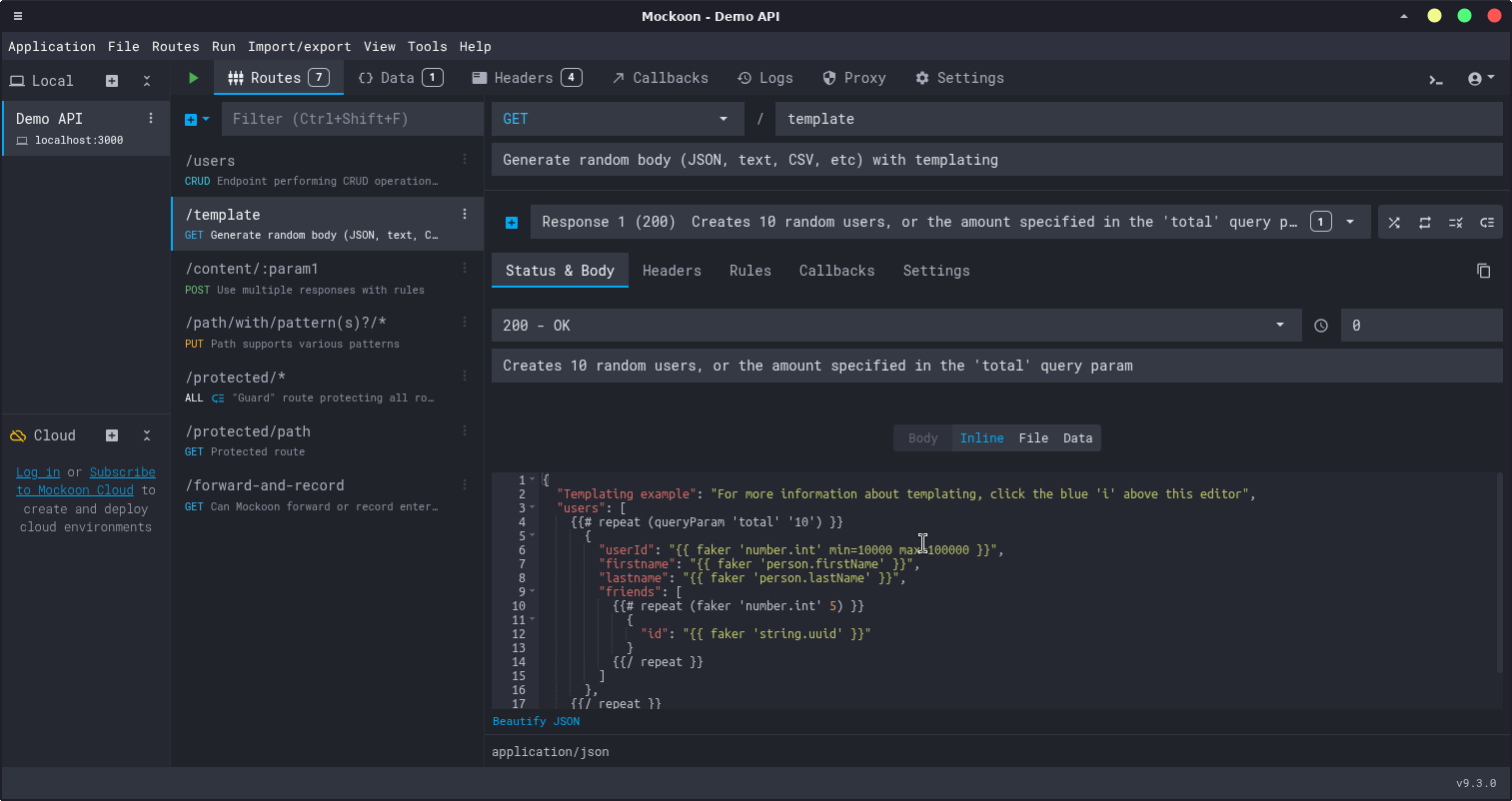
- Set the HTTP status code (e.g.,
Start the mock server by clicking the green ▶️ Start button at the top.
That’s it! Test your new endpoint in your browser or with a tool like
curl. By default, the server runs on port3000, but this is easily configurable on the Settings tab.
# Your API is now live!
curl http://localhost:3000/users
Powerful Advanced Features
Mockoon is simple to start with but packed with advanced features for realistic simulations:
Dynamic Templating: Use Handlebars syntax to generate dynamic and realistic data. Perfect for creating non-static responses.
{
  "id": "{{uuid}}",
  "name": "{{faker 'name.findName'}}",
  "email": "{{faker 'internet.email'}}",
  "createdAt": "{{now 'iso'}}"
}
Simulated Latency: Add a delay to responses (e.g., 2000ms) to test how your service’s timeout configurations and retry mechanisms behave.
Rule-Based Responses: Serve different responses based on request headers, query parameters, or body content. For example, you can return a
401 Unauthorizederror if anAuthorizationheader is missing, or a200 OKif it’s present.Proxy Mode: Forward requests that don’t match any of your mock routes to a real API. This is great for partially mocking a service while letting other calls pass through.
Import/Export: Quickly bootstrap an environment by importing an OpenAPI/Swagger specification.
Conclusion
Mockoon is an essential tool for modern development workflows. Whether you’re building a frontend without waiting for backend APIs, testing edge cases and error scenarios, or working offline, Mockoon provides a fast and flexible solution. Its rich feature set—from dynamic templating to rule-based responses—makes it suitable for both simple prototyping and complex integration testing.
Give it a try and see how much faster your development cycle becomes!